
Fortnightly Budget Plus is an Australian budget spreadsheet. Plan what you want to spend each pay, compare it with your actual spending, set savings goals and see it all on one dashboard.
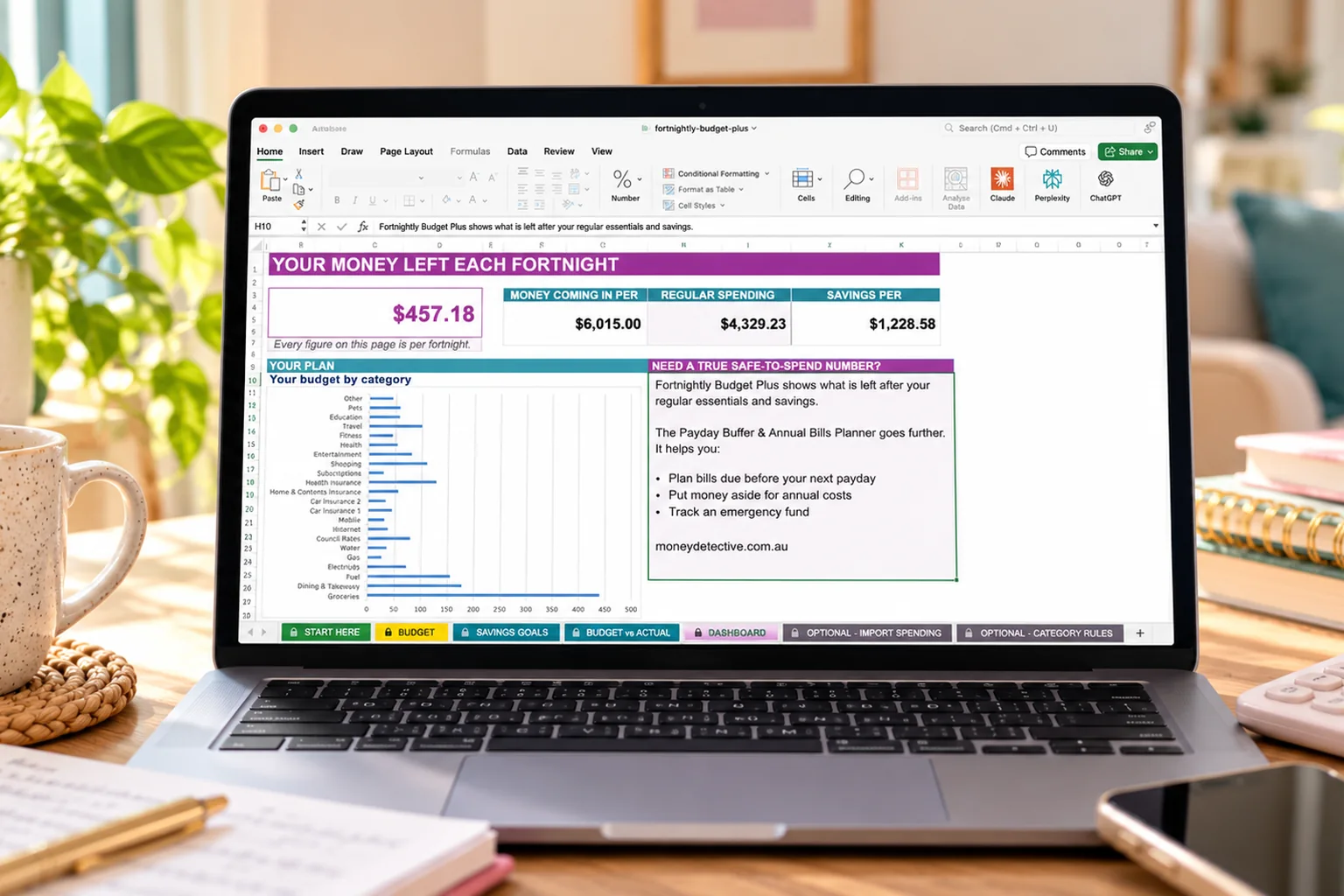
You set a budget, then spend the fortnight guessing whether you're on track.
Weekly groceries, monthly phone, quarterly power. Turning it all into one fortnightly number is fiddly.
"Save for Christmas" is hard to act on without knowing how much to put aside each pay.
Your pay, your rent, and what you want to spend on each category. Pick how often each one is paid. Not sure what your bills are? Try the household bills checklist.
Saving for something? Type the goal, the amount and the date on the Savings Goals tab.
Type it into Budget vs Actual, or import your bank transactions.
See what's left each fortnight and where your money went.
Real screenshots from the workbook in Excel, filled in with example figures.
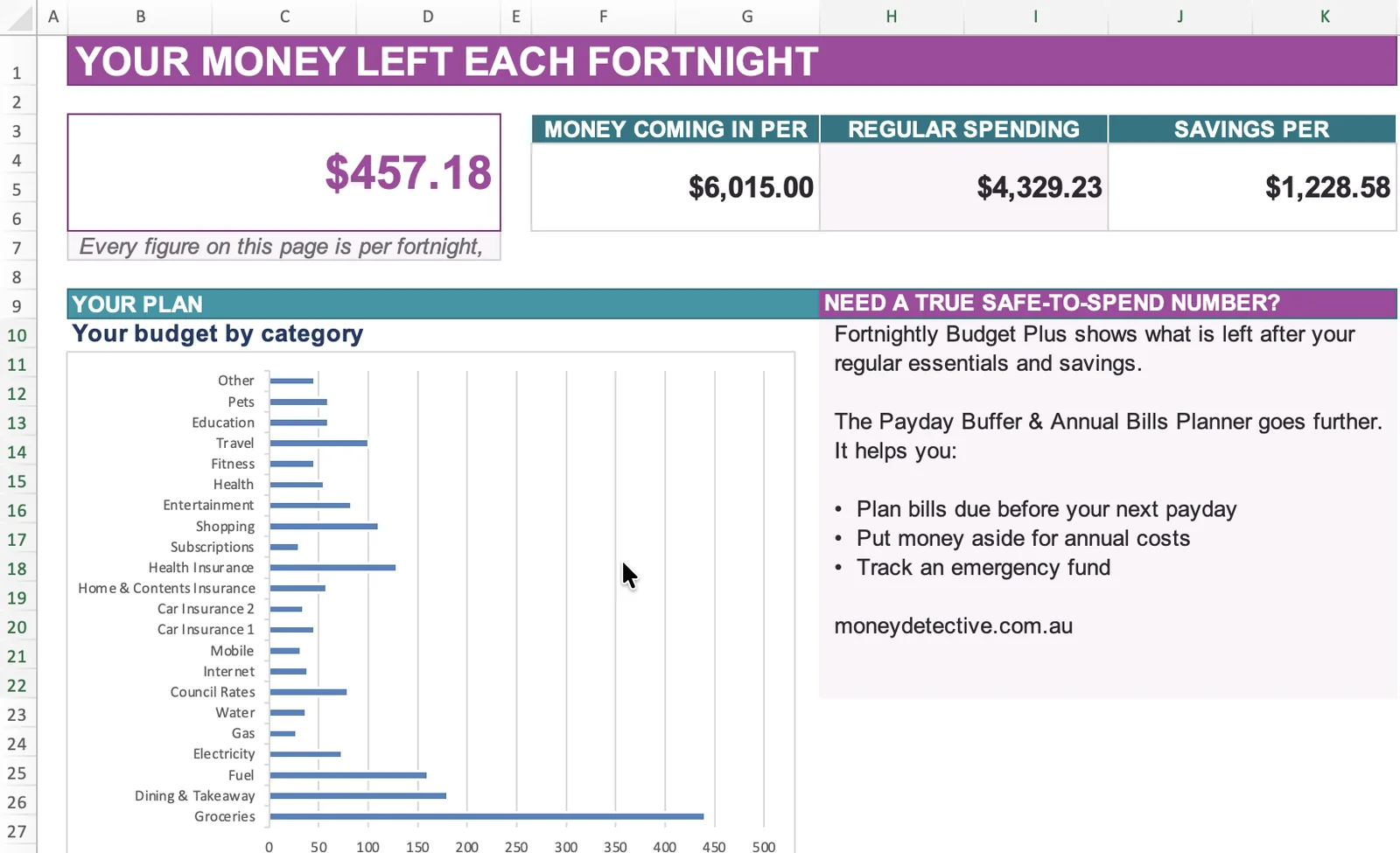
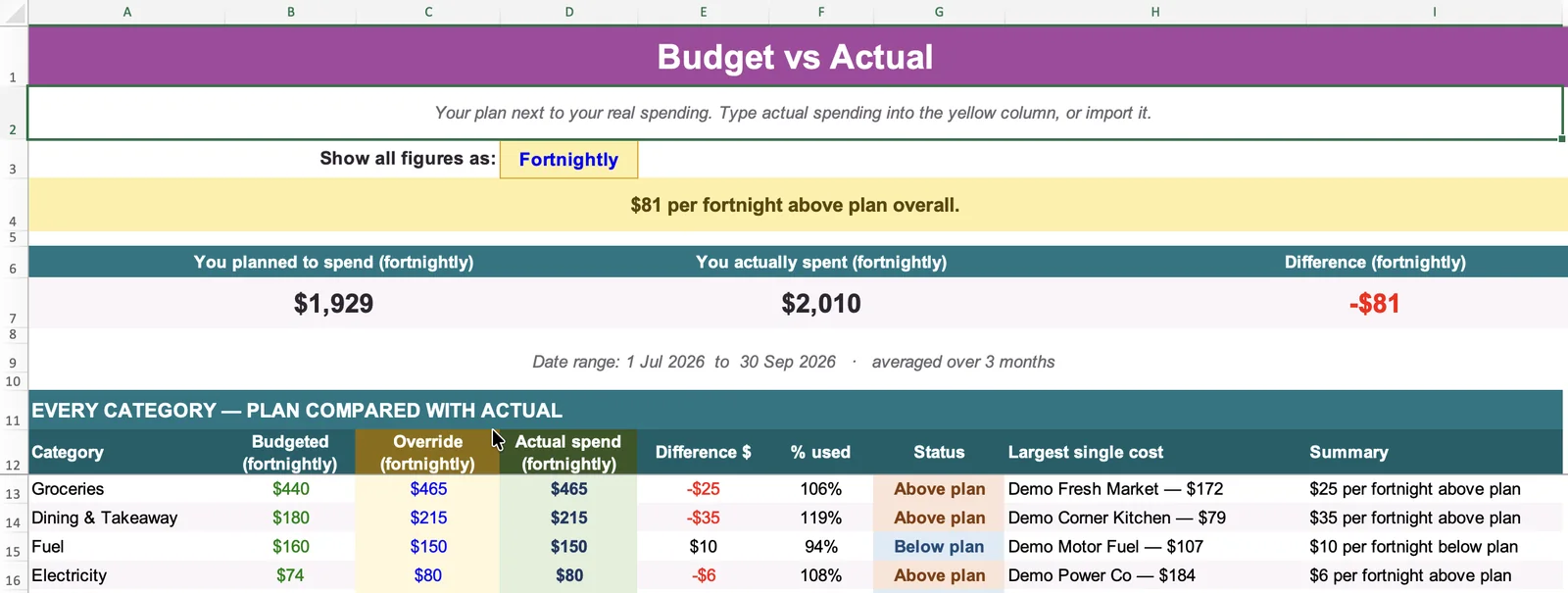
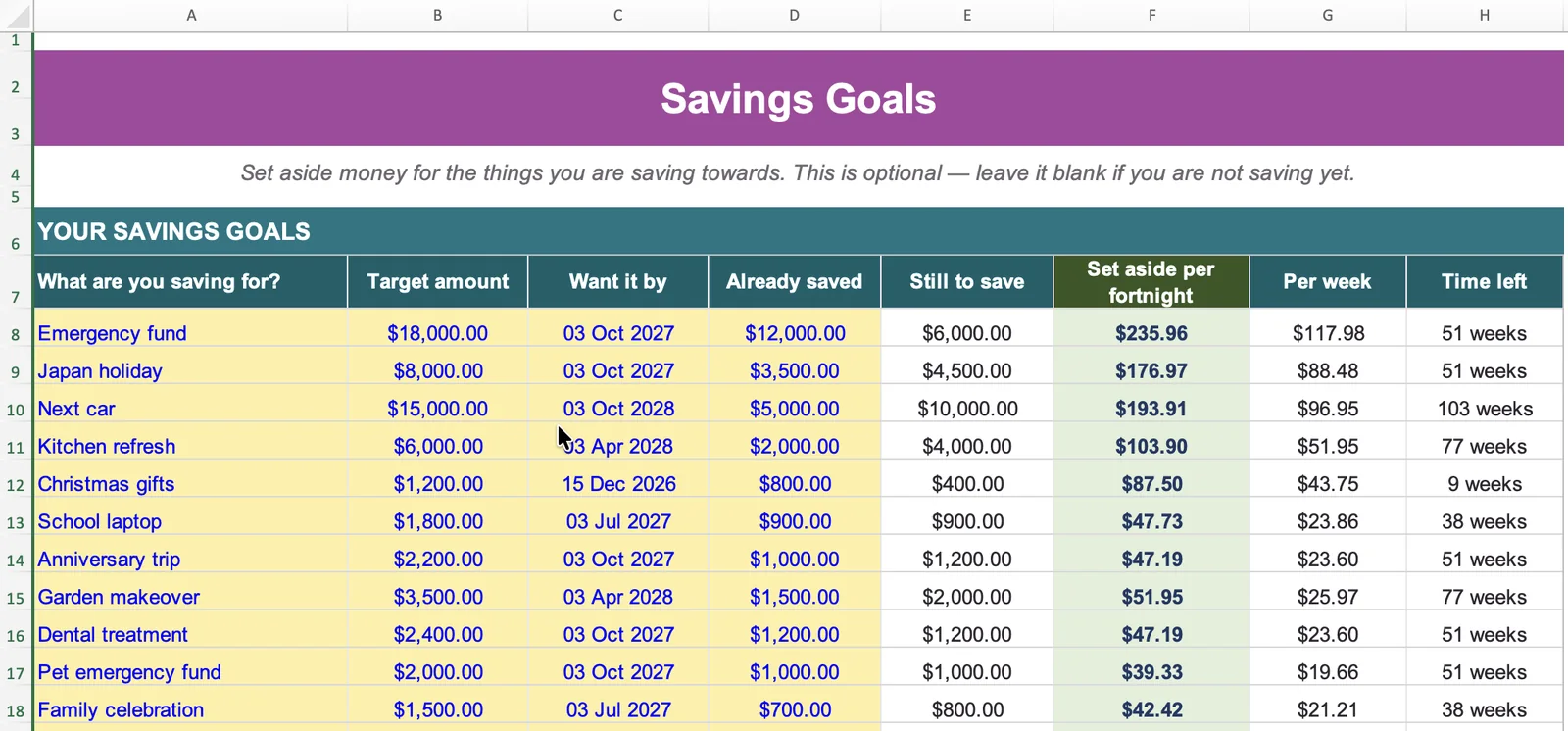
The example figures are only there to show how it works. Everything you type goes into the yellow boxes, and nothing connects to your bank.
The free fortnightly budget spreadsheet covers planned vs actual for one pay. Budget Plus adds savings goals with a weekly target, costs that can be weekly, monthly, quarterly or yearly, a view you can switch to any period, and your biggest overspends ranked.
Yes. You can use Fortnightly Budget Plus as an Excel budget planner in Microsoft Excel, or in Google Sheets. It is a standard .xlsx workbook with no macros.
No. Importing is optional. You can type your actual spending straight into the Budget vs Actual tab.
No. Nothing connects to your accounts. Your data stays in your own file.
No. This is an educational budgeting tool, not personalised financial advice.
You pay through Stripe's secure checkout. Once payment is confirmed, you are taken to a page with your download link, and a copy is emailed to the address you used at checkout (check your junk or promotions folder if it does not arrive). The download is a ZIP file containing the .xlsx workbook, so unzip it first. The Start Here tab then walks you through setup.
Yes. Choose your pay cycle (weekly, fortnightly or monthly). Each cost can be weekly, fortnightly, monthly, quarterly or yearly, and the spreadsheet converts it for you. If yearly costs like car rego or insurance are the tricky part, see how to budget for annual bills in Australia.
You can use it with the people in your household and make copies or backups for your own household use. You may not share it with other households, resell it or redistribute it. See the licence.
Email hello@moneydetective.com.au. Basic support covers access, setup and using the spreadsheet. It does not include personalised budgeting or financial advice.
Because it is a digital download supplied straight after payment, change-of-mind refunds are not generally offered. If the file cannot be downloaded, is faulty or does not match its description, contact us and we will help, which may include a replacement or a refund. This does not limit your rights under the Australian Consumer Law. Read the full Refund Policy.
That is what Payday Buffer is for. Budget Plus looks at your budget and actual spending over each fortnight, while Payday Buffer shows what may be safe to spend until your next payday.
One spreadsheet for your fortnightly budget, actual spending and savings goals.
Get Budget Plus for $12.95 →