
Money Detective
Free · Instant download

The Free Fortnightly Budget Spreadsheet

Plan what you'll spend this pay, then see what you really spent. Fill in the yellow boxes and the dashboard shows planned vs actual, category by category.
Built for Microsoft Excel · AUD format · No bank login required
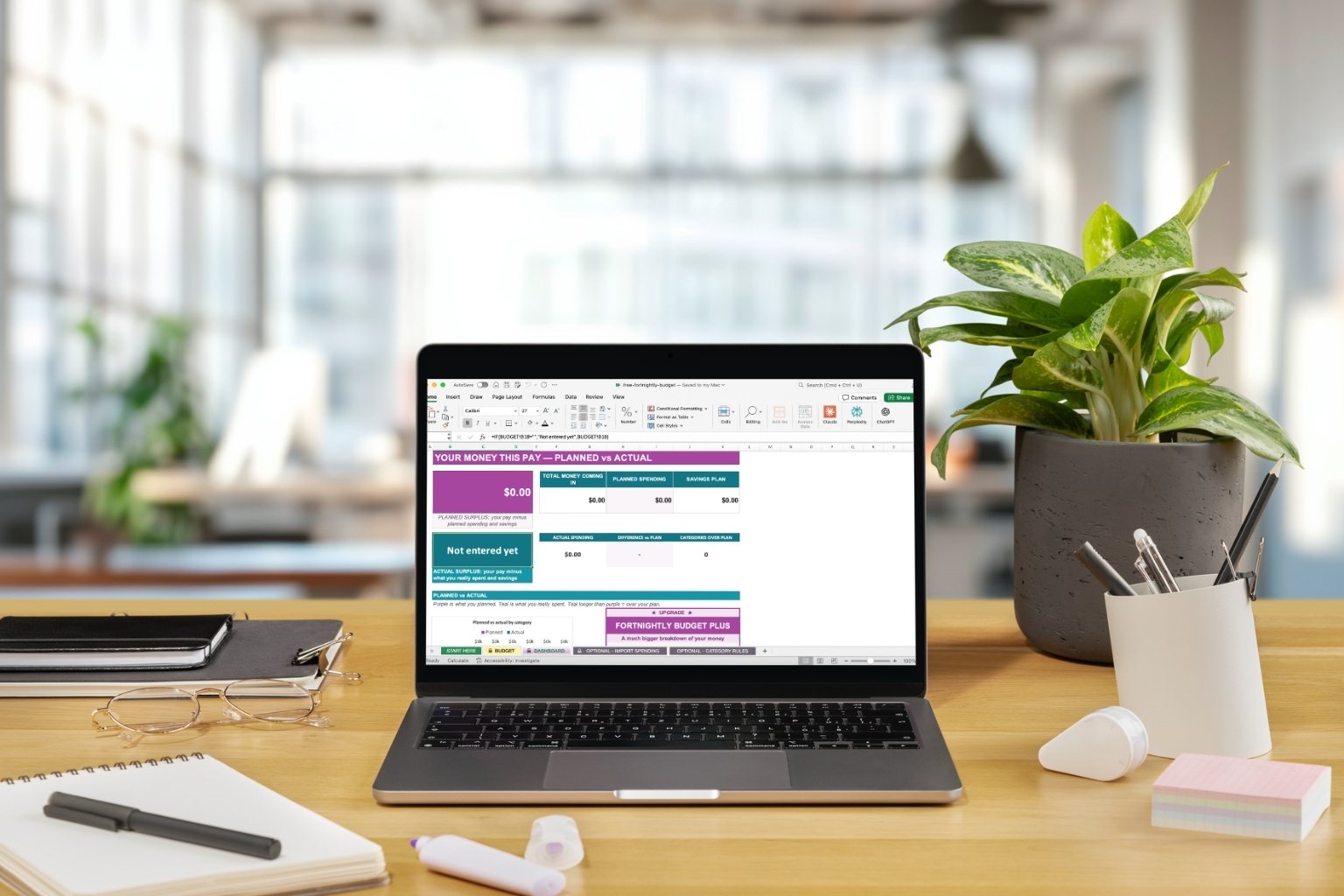
The Free Fortnightly Budget dashboard open on a laptop, showing planned vs actual
Completely free Built for Microsoft Excel Australian dollar format Instant download after sign-up
The problem

Most budgets stop at the plan.

A plan you never check

Writing a budget is the easy part. Knowing whether you actually stuck to it is where most spreadsheets leave you guessing.

Too much to fill in

Pages of categories and formulas make it hard to know where to start, so it never gets started.

No clear answer at the end

You finish the fortnight still unsure: did you stay on track, and where did it go over?

How it works

Four steps. Yellow boxes only.

1

Check your pay cycle

It's set to fortnightly. Change it if you’re paid weekly, every 4 weeks or monthly.

2

Fill in your plan

Your pay, your bills, what you plan to spend and what you want to save.

3

Add what you spent

After payday, type your actual spending, or import your bank file instead.

4

Read your dashboard

Planned vs actual for every category, with each one marked on track or over.
Take a look inside

See exactly what you're getting.

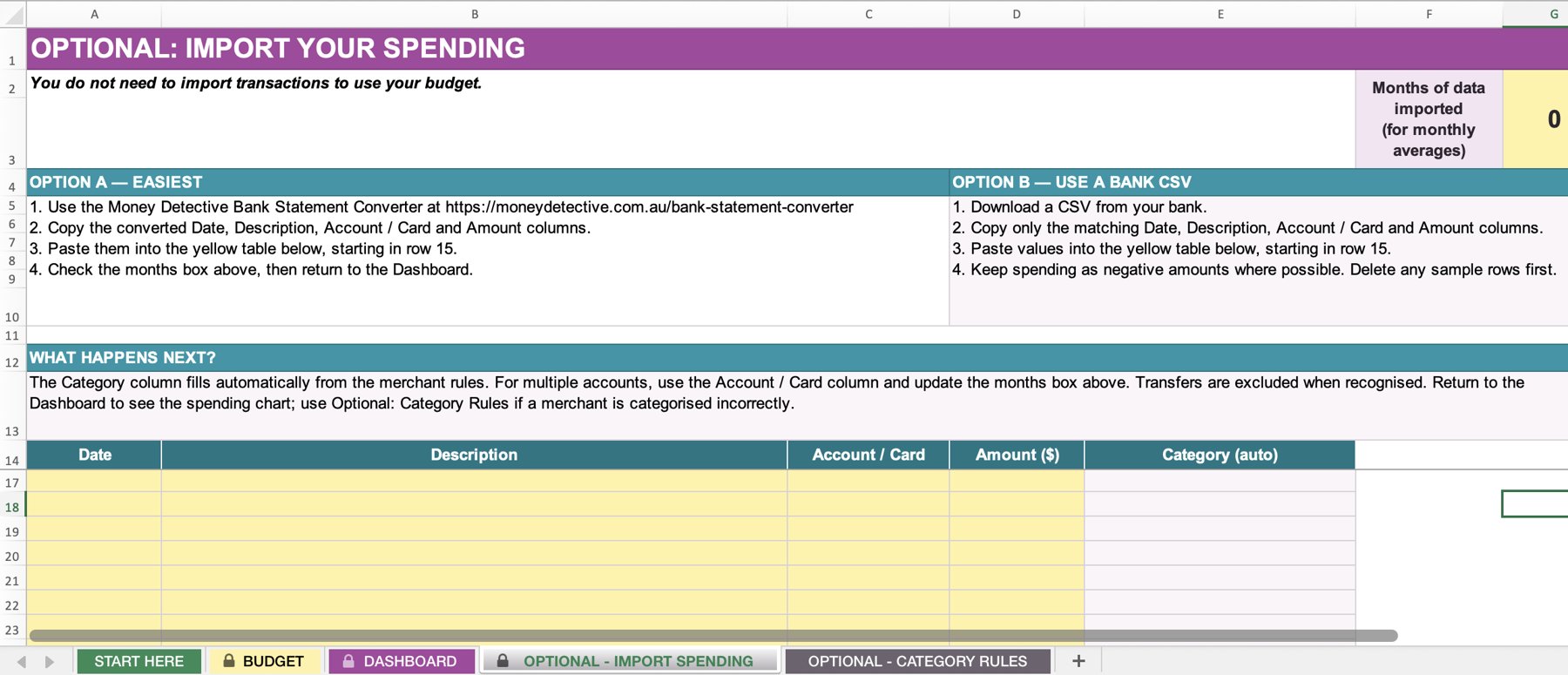
The optional import tab, with steps for the Money Detective Bank Statement Converter or a bank CSV and a yellow table for transactions
Optional import

Rather not type it in?

Paste in your bank transactions and the spreadsheet sorts them into groceries, fuel, subscriptions and more, then fills in your actual spending for you.
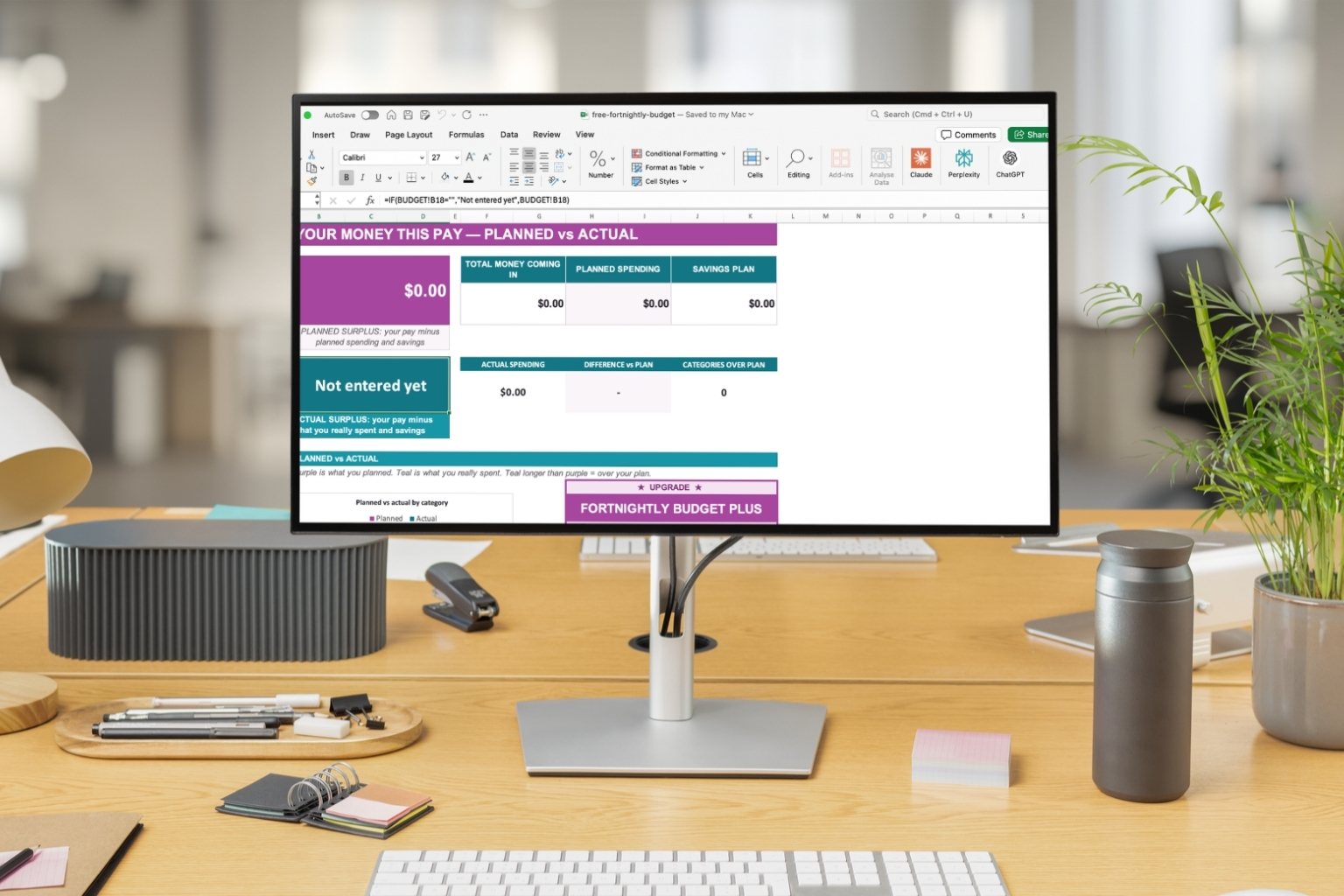
The Free Fortnightly Budget dashboard on a desktop monitor, showing planned surplus, actual spending and planned vs actual
Dashboard

Planned vs actual on one screen

Money coming in, planned and actual spending, your savings plan and your surplus, plus a chart comparing plan and reality for each category.
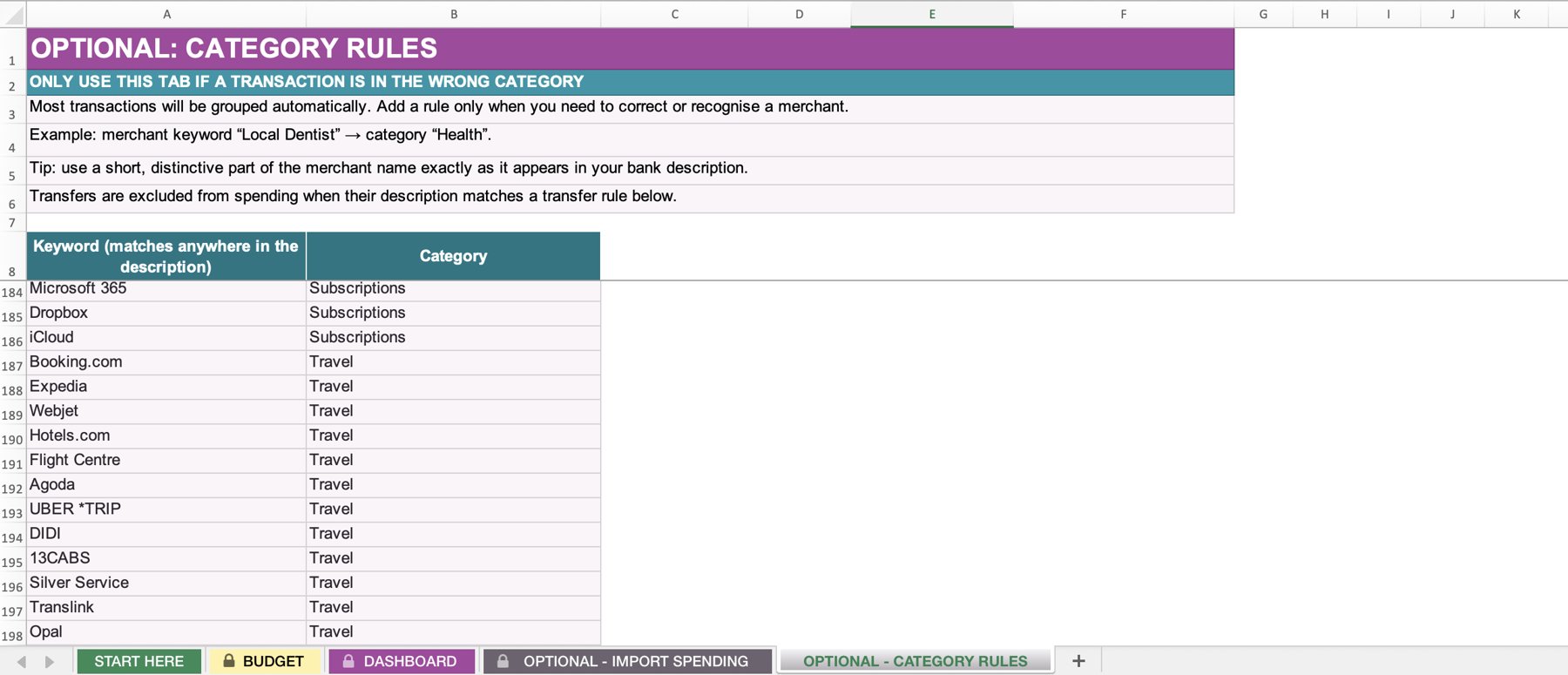
The optional category rules tab with merchant keywords such as Webjet and Opal mapped to categories
Category rules

Teach it once, it remembers

Add a keyword like your local cafe or gym and it sticks for every future import. Over a hundred common ones come ready to go.

Who it's for

Designed for people who...

This is for you if you:

  • Want to start budgeting today without paying for anything
  • Want a simple plan for each pay
  • Want to see whether you actually stuck to it
  • Prefer a spreadsheet over an app
  • Don't want to connect your bank account

This isn't for you if you want:

  • A live bank-syncing app on your phone
  • Personalised financial advice
  • Automated investing or bill paying

A real starting point, not a taster

This is a complete, working budget, given away free. It began as the spreadsheet I wanted when I first tried to get on top of our single-income household, useful enough on its own that you never have to buy a thing.

Get it now

Free, forever. Just add your email.

The Free Fortnightly Budget

$0
no payment, just your email
  • Excel spreadsheet
  • Weekly, fortnightly, 4-weekly or monthly pay cycle
  • Planned vs actual for every category
  • On track or over status at a glance
  • Dashboard with planned vs actual chart
  • Savings plan and surplus
  • Optional bank import with automatic categorising
  • Over 100 editable category rules

Enter your name and email and you'll go straight to your download page. Open the file in Microsoft Excel.
By signing up, you'll get your free budget plus the Money Detective newsletter with practical Australian money tips, tool updates and occasional offers. You can unsubscribe at any time. See our Privacy Policy.
FAQ

Questions before you download

Is it really free?

Yes. No payment. Enter your email and you'll go straight to your download.

Does it work in Google Sheets?

It's built for Microsoft Excel, and we recommend using it there.

Do I have to import my bank transactions?

No. Importing is optional. You can type what you spent straight into the Actual column. If you do import, keyword rules sort each transaction into a category, and you can add your own.

Do I need to connect my bank?

No. Nothing connects to your accounts. Anything you add, you add yourself, so your data stays in your own file.

Is this financial advice?

No. This is an educational budgeting tool, not personalised financial advice.

What if I want more?

If you like it, the paid Money Detective templates go further with bill tracking, debt payoff, couples' budgeting and more. But the free budget is yours to keep either way.

Make a plan. See how it went.

A complete Australian fortnightly budget with planned vs actual tracking, free with an instant download.

Get the free budget →