
Money Detective

The 3-Minute Budget Spreadsheet

The budget for people who hate budgeting. Paste your bank statement and see what went to bills, spending and savings. Three categories, one dashboard, nothing hidden.
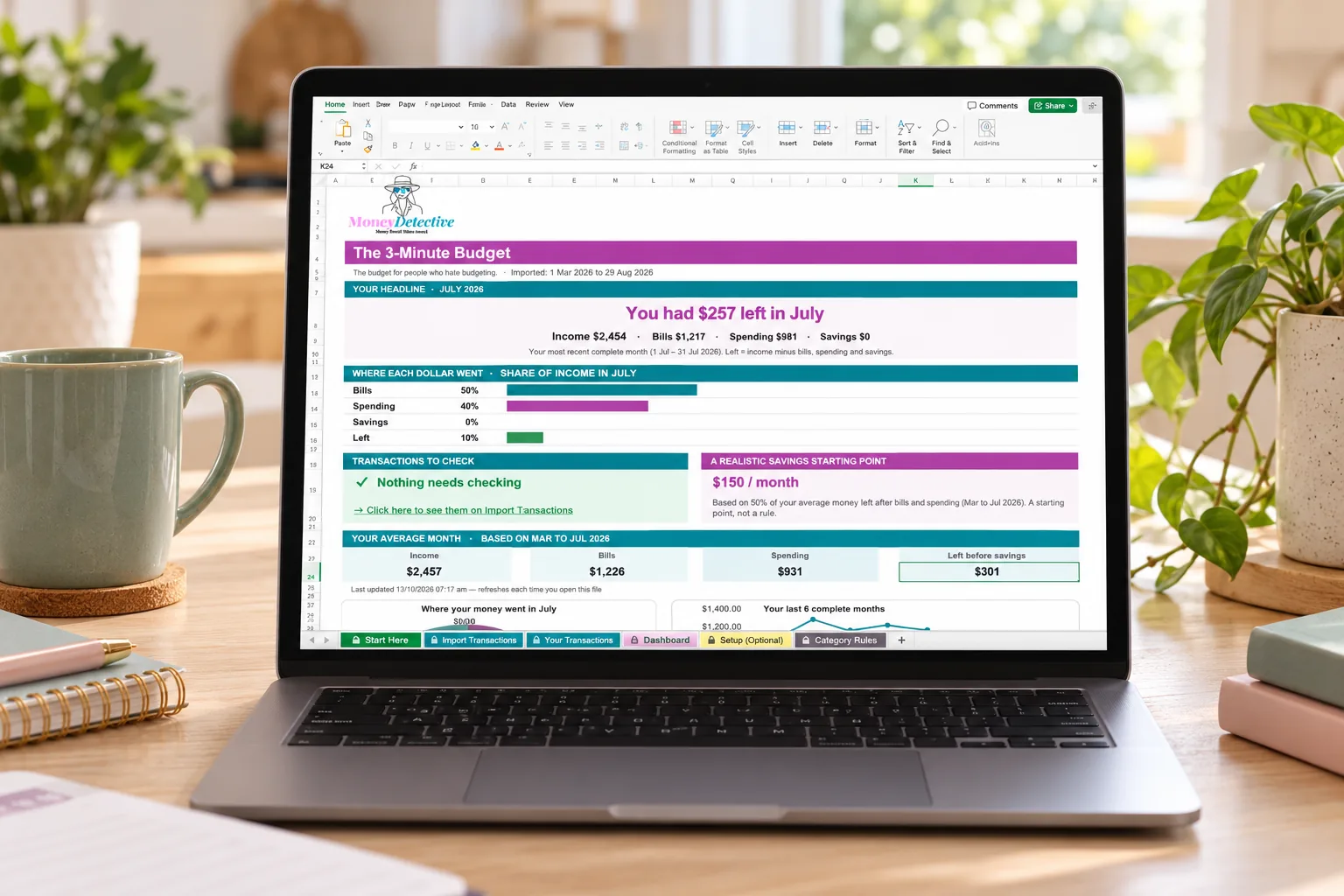
Excel and Google Sheets · AUD format · No bank login required
The 3-Minute Budget spreadsheet open on a laptop, showing the headline for the month, income, bills, spending and savings
Works in Excel and Google Sheets Australian dollar format No bank connection required Instant digital access
The problem

Most budgets ask for more decisions than most people can sustain.

Too many categories, too fast

Twelve categories sounds thorough, but it's also twelve decisions every time you spend something.

Guilt-based warnings don't help

Red numbers and stern alerts make budgeting feel like a punishment, not a tool.

Complex systems get abandoned

The most detailed budget in the world is useless if it's too much friction to actually keep using.

How it works

A budget built to actually stick.

1

Paste your bank statement

Convert a PDF statement with the free Money Detective converter, then paste it in. Income, transfers and shops are sorted for you.

2

Check anything flagged

If any transactions need a second look, the Dashboard tells you. Everything else is already sorted into Bills, Spending or Savings.

3

Read the big number

The Dashboard shows what you had left last month, and where each dollar went.
Take a look inside

See exactly what you're getting.

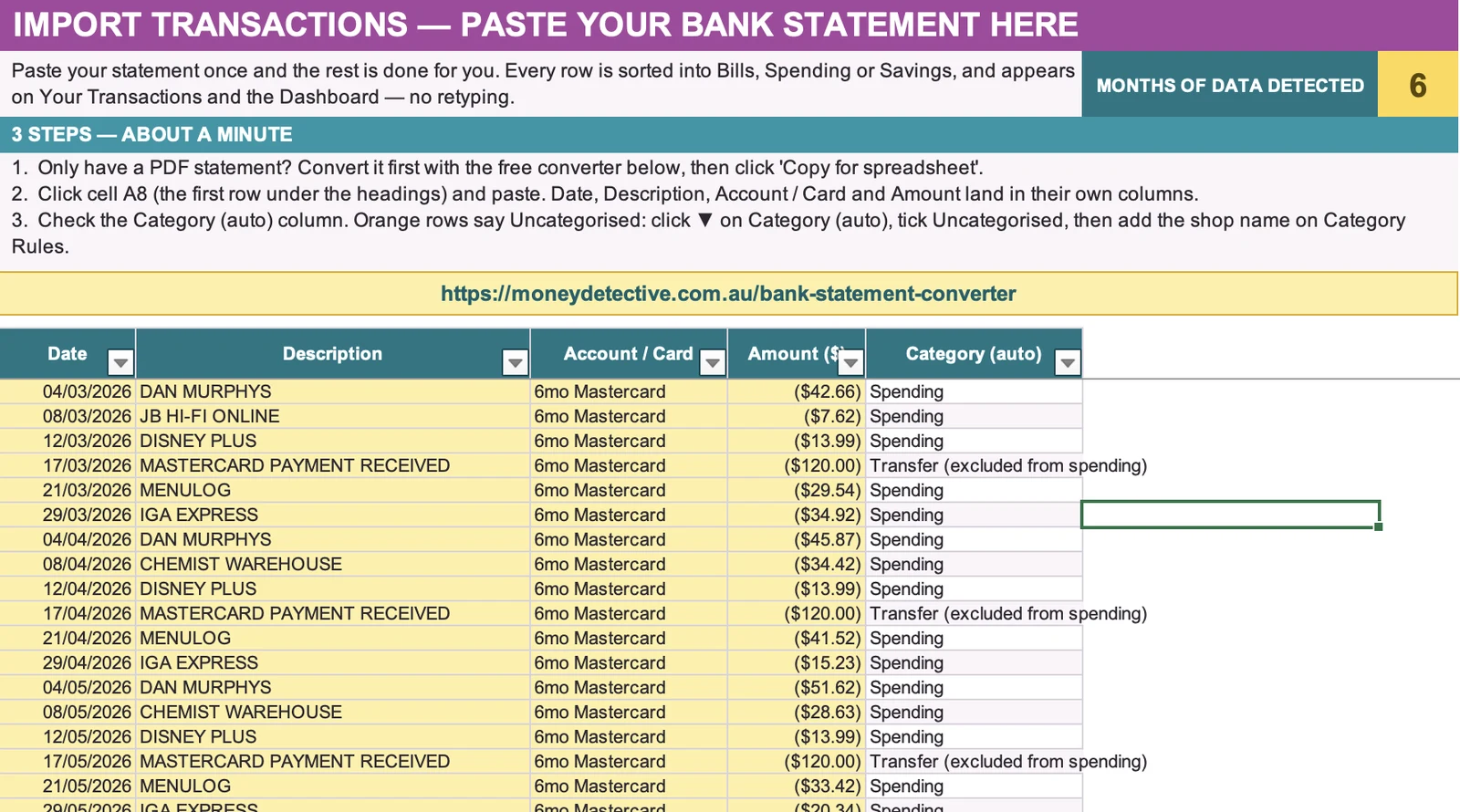
Import Transactions tab with a bank statement pasted in and categories filled in automatically
Import Transactions

Paste your statement once

Date, description, account and amount land in their own columns. Categories, income and transfers between your own accounts are worked out for you.
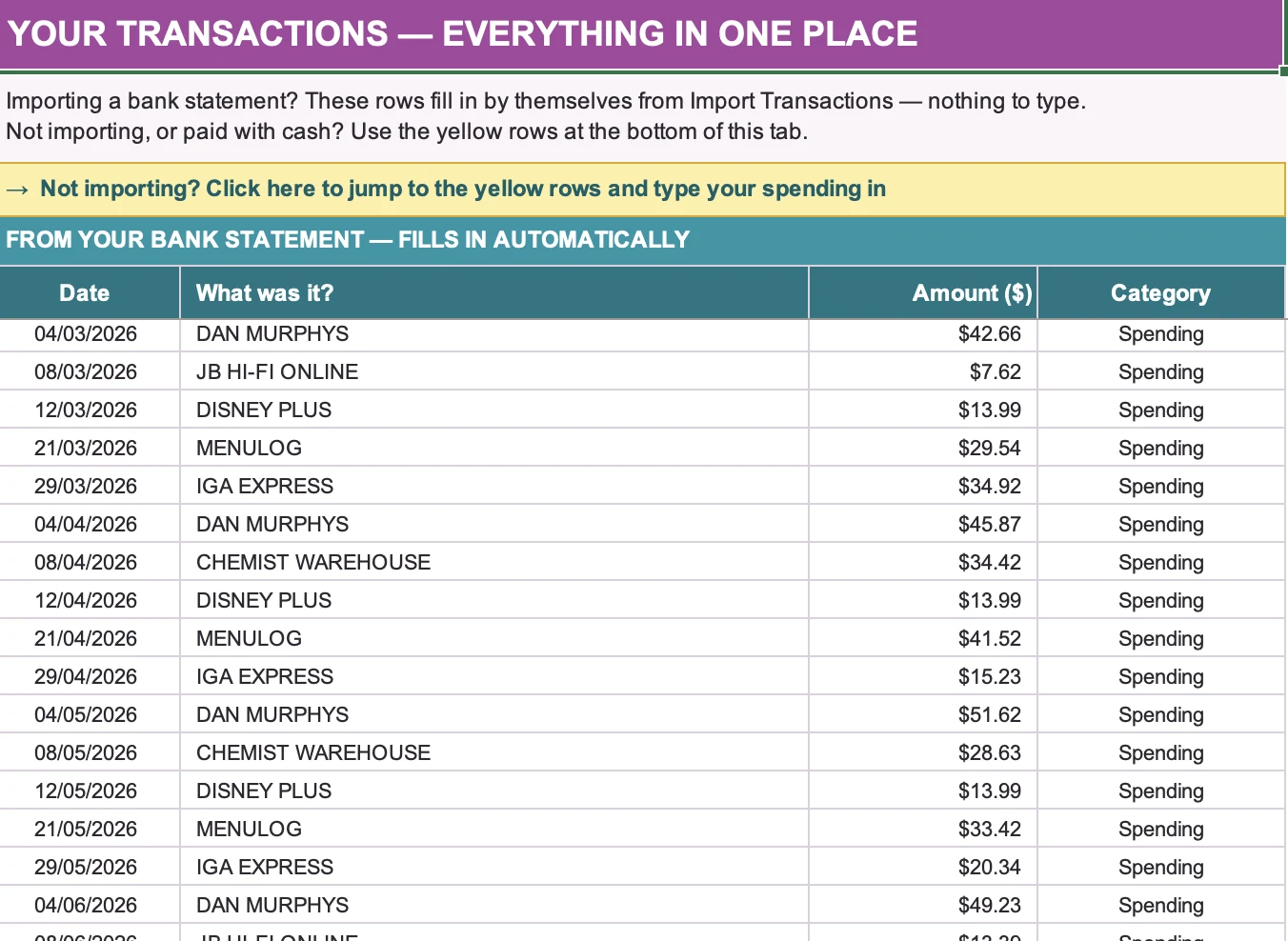
Your Transactions tab listing every transaction sorted into Bills, Spending or Savings
Your Transactions

Everything in one place

Every transaction sorted into Bills, Spending or Savings, filled in for you. Paid cash or not importing? Type it into the yellow rows at the bottom.
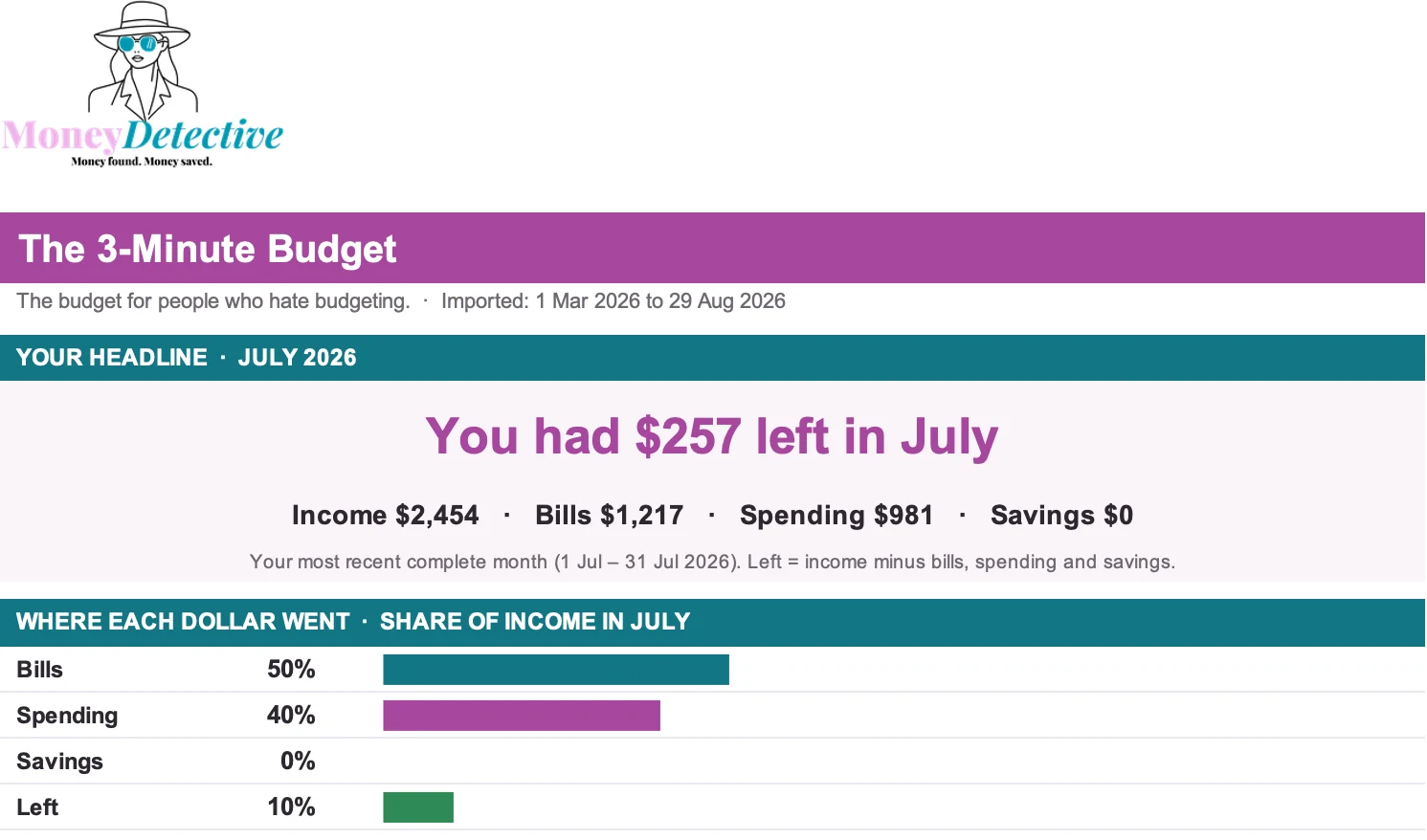
The 3-Minute Budget dashboard with the headline for the month and where each dollar went
Dashboard

One number that matters

A plain-English headline for your most recent complete month, plus where each dollar went across bills, spending and savings. Screenshots show sample data.

Who it's for

Designed for people who...

This is for you if you:

  • Have tried budgeting apps before and stopped using them
  • Find detailed categories overwhelming rather than helpful
  • Want a system that's sustainable, not perfectly detailed
  • Use Excel or Google Sheets
  • Don't want to connect your bank account

This isn't for you if you want:

  • Detailed category-by-category breakdowns (the free Fortnightly Budget plans each pay by category)
  • A live bank-syncing app
  • Personalised financial advice

Built from real budgeting frustrations

This budget exists because most budgeting tools ask for more decisions than most people can keep up with long-term. Three categories, one page, built to be sustainable, not just thorough.

Pricing

One simple price. No subscription.

The 3-Minute Budget

$6.95
introductory one-time price
  • Works in Excel and Google Sheets
  • Only three categories: Bills, Spending, Savings
  • Paste a bank statement and it sorts itself
  • Dashboard headline for your last complete month
  • Flags transactions that need checking
  • Optional setup for cash costs or an income override
  • Starts blank, ready for your own statement

After payment, you'll receive immediate access to the downloadable file and setup instructions.
By completing this purchase, you agree to the Terms and Conditions and acknowledge the Privacy Policy.
FAQ

Questions before you buy

Is this an Excel file?

Yes. It is an Excel file that also works in Google Sheets.

Only three categories, isn't that too simple?

That's the point. Fewer categories means fewer decisions, which means it's easier to actually keep using.

Does it connect to my bank?

No. You paste in your own bank statement and it sorts into the three categories automatically. Only have a PDF? The free Money Detective statement converter turns it into rows you can paste. Paid with cash? Type it into the yellow rows on Your Transactions.

Does it work on a phone?

It is easiest on a computer, where you paste your statement in. Once it is in Google Sheets you can view it on your phone.

Is this financial advice?

No. This is an educational budgeting tool, not personalised financial advice.

What happens after I purchase?

You get immediate access to the downloadable file and a short setup guide.

A budget that's actually easy to keep using.

Three categories, one page, one number that matters.

Get the Budget →