
Money Detective

Household Bill Tracker Spreadsheet

The simple tracker that flags every upcoming renewal before it catches you out, and shows you the true monthly cost of every bill, whatever the billing cycle.
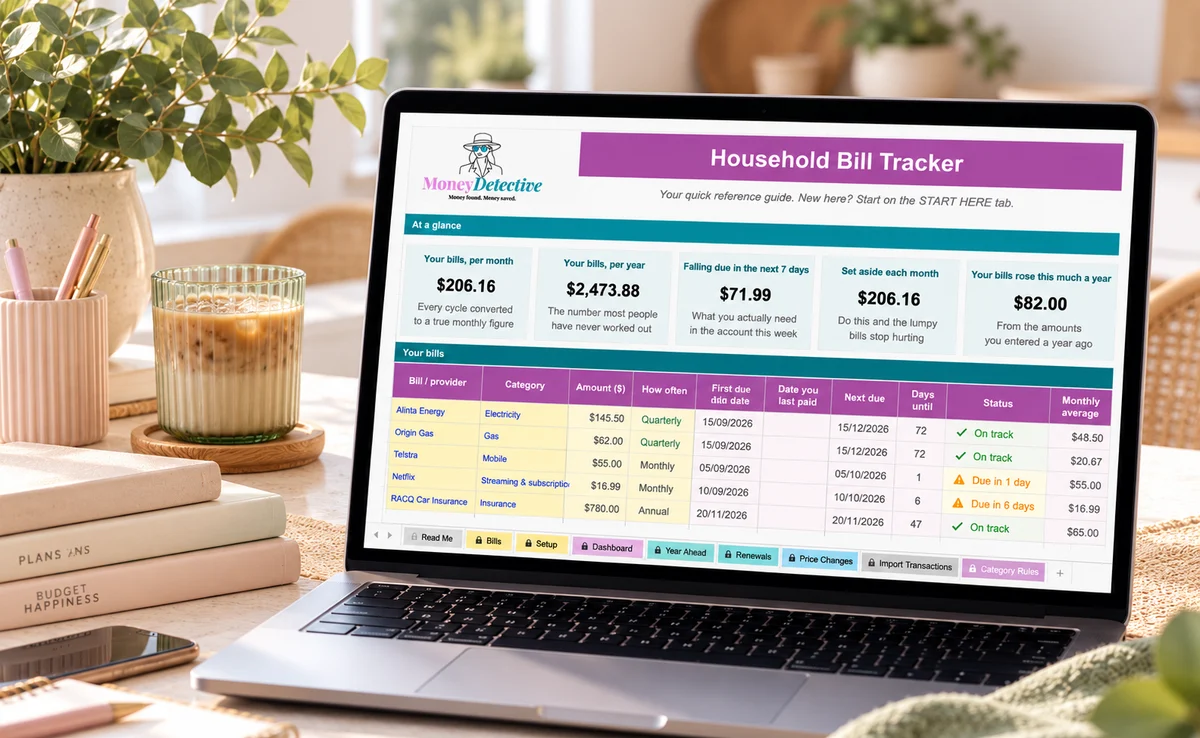
Excel and Google Sheets · AUD format · No bank login required
The Household Bill Tracker on a laptop showing the dashboard tiles and the bills table
Works with Excel and Google Sheets Australian dollar format No bank connection required Instant digital access
The problem

Bills come from everywhere, on different schedules, and it's easy to lose track.

Bills bill differently

Some monthly, some quarterly, some annual, hard to compare what anything actually costs you each month.

Renewals sneak up on you

Insurance and contract renewals lapse or auto-renew at a higher rate without warning.

No single place to check

Bills scattered across emails, apps, and memory, nothing pulls it all together.

How it works

A clearer way to keep on top of every bill.

1

Add every bill

Provider, amount, and how often it bills, however irregular.

2

Set the dates

Due date and renewal/contract-end date for each one.

3

Get warned automatically

Choose how many days warning you want (45 by default) and any contract ending soon is flagged, before it's too late.
Take a look inside

See exactly what you're getting.

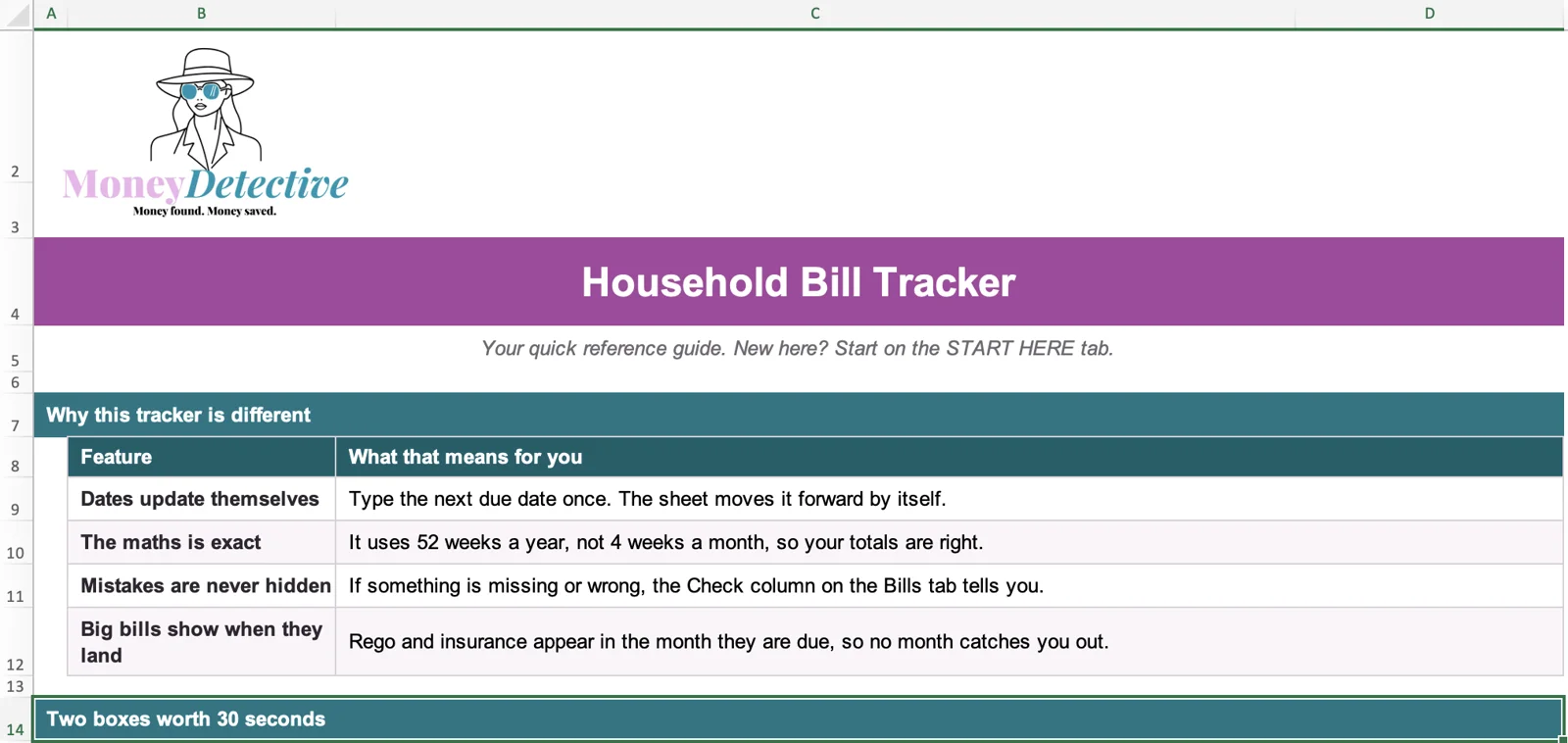
The Read Me tab of the Household Bill Tracker explaining why it is different
Start here

A tracker that does the maths for you

Dates roll forward by themselves, totals use 52 weeks a year, and a Check column tells you if anything is missing or wrong.
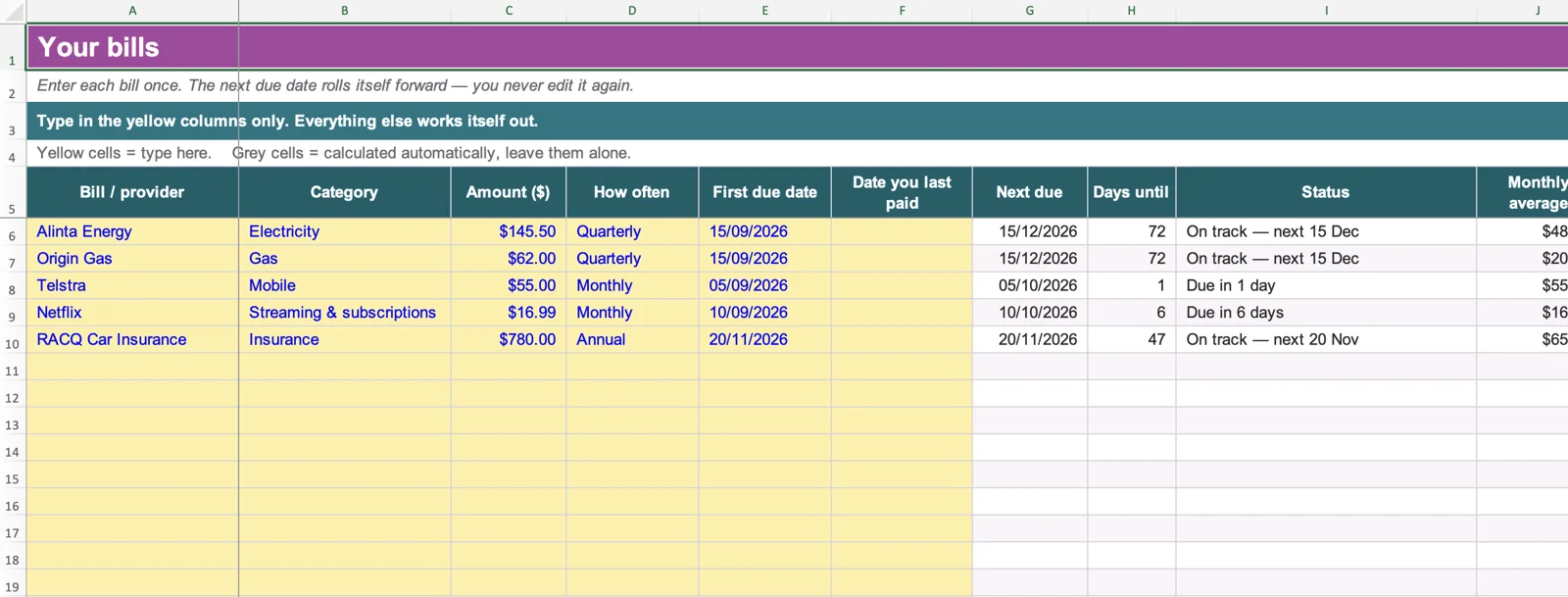
The Bills tab where each bill is entered once with its amount, how often it is due and the first due date
Bills

Every bill, one place

Add a bill once. The next due date, days until it is due and the true monthly cost are worked out automatically, whatever the billing cycle.
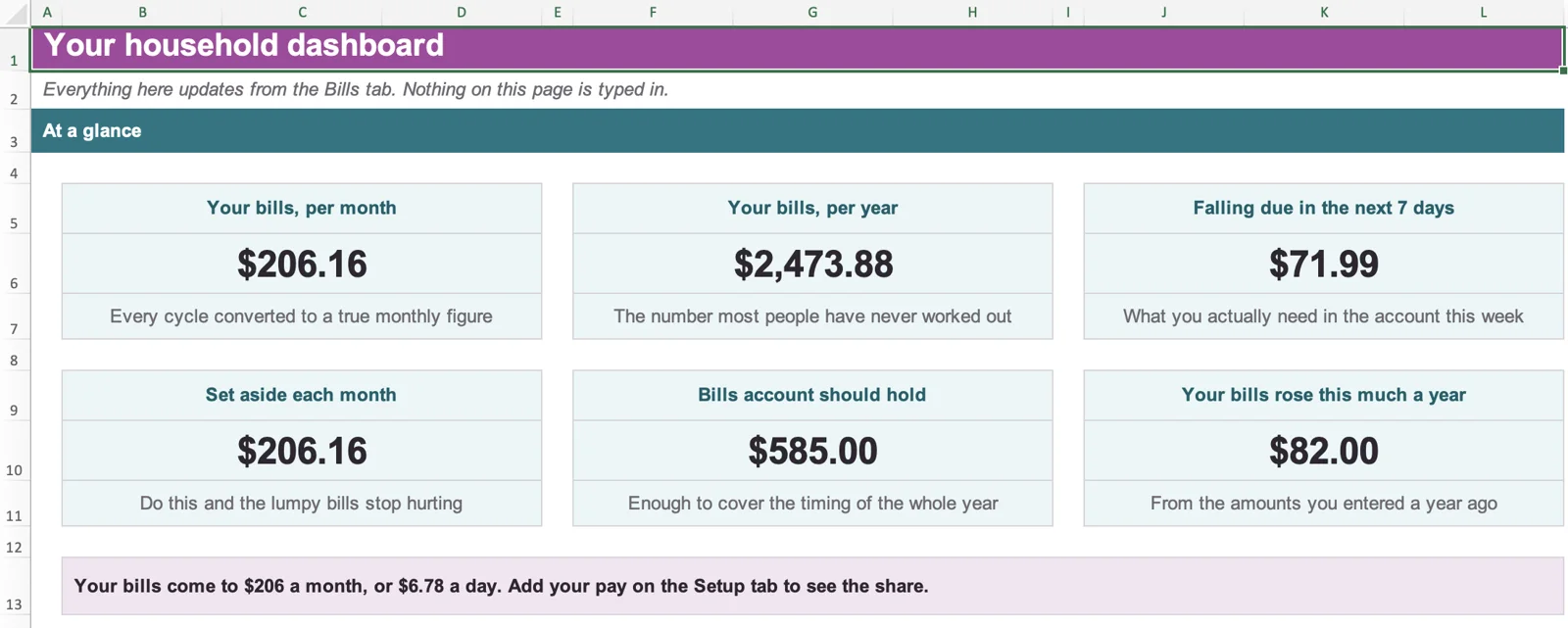
The household dashboard showing bills per month, per year, due in the next 7 days and how much to set aside
Dashboard

See what your bills really cost

Your bills per month and per year, what falls due this week, how much to set aside each month and how much your bills have risen.
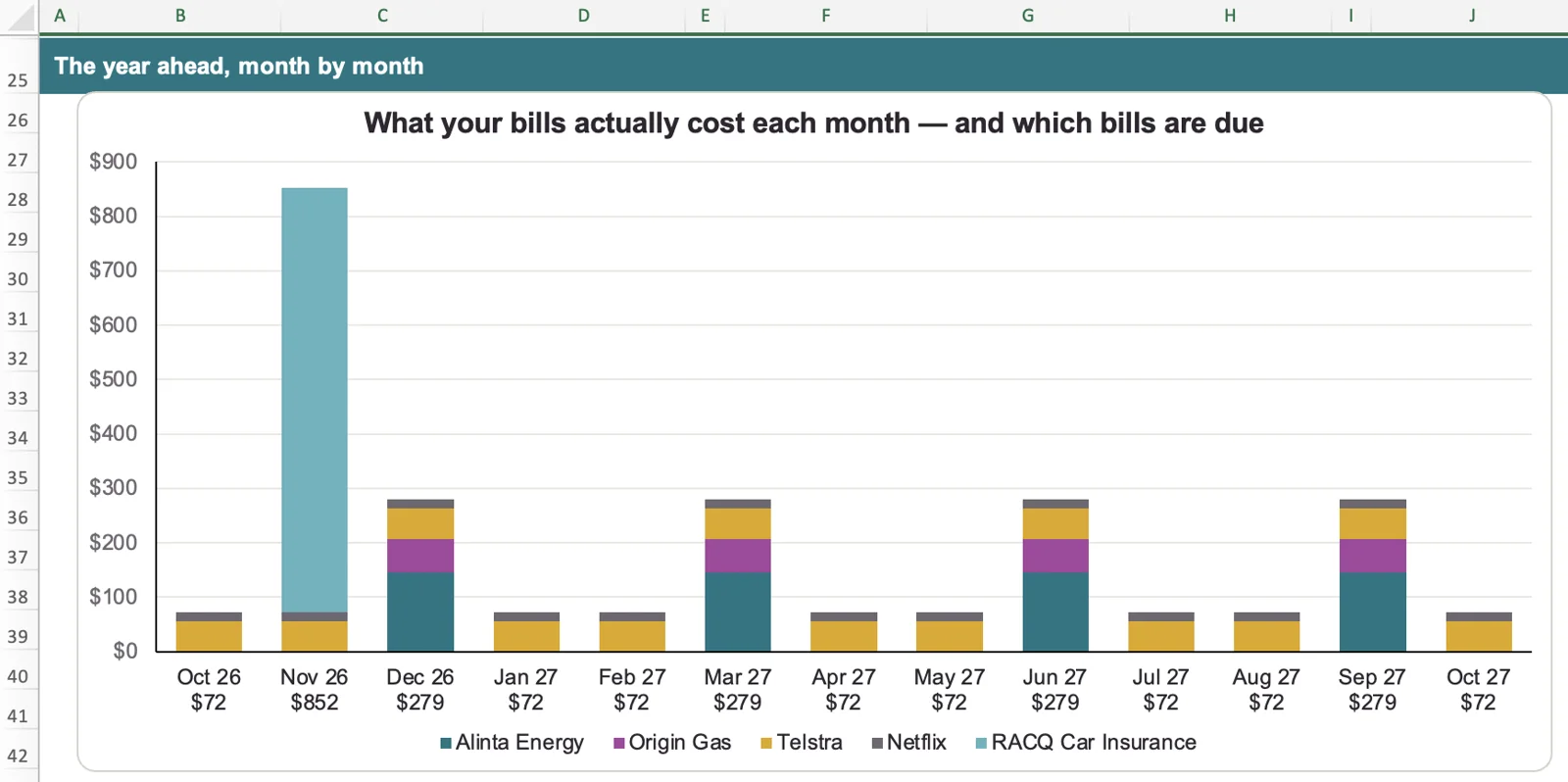
A chart of what your bills cost each month and which bills are due, month by month for the year ahead
Year ahead

Spot the big months before they land

See what your bills cost each month for the next year and which ones are due, so rego and insurance never catch you out.

Who it's for

Designed for people who...

This is for you if you:

  • Have bills on different schedules (monthly, quarterly, annual)
  • Have been caught out by a surprise renewal before
  • Want everything in one place instead of scattered emails
  • Prefer Excel or Google Sheets
  • Don't want to connect your bank account

This isn't for you if you want:

  • A live bank-syncing app
  • Personalised financial advice
  • Automatic bill payment or switching

Built from real budgeting frustrations

This tracker was built after one too many surprise renewal notices. It's the tool I wished existed, one place to see every bill, due date, and true monthly cost, without digging through emails or apps.

Pricing

One simple price. No subscription.

Household Bill Tracker

$9.95
introductory one-time price
  • Files that work in Microsoft Excel and Google Sheets
  • Flags contracts ending soon, with the warning period you choose (45 days by default)
  • Converts any billing frequency to a true monthly cost
  • Dashboard with charts of your monthly bills and your biggest bills
  • Optional bank statement paste-in to check what you actually paid
  • Sample data included, ready to edit

After payment, you'll receive immediate access to the downloadable file and setup instructions.
By completing this purchase, you agree to the Terms and Conditions and acknowledge the Privacy Policy.
FAQ

Questions before you buy

Is this an Excel file?

Yes. It works in Microsoft Excel and Google Sheets.

Does it connect to my bank?

No. You never provide bank login details. You can optionally paste in a CSV export, or use the free PDF converter tool.

What counts as a 'bill'?

Anything that repeats, electricity, gas, insurance, subscriptions, phone plans. If it bills you regularly, it belongs in here. For prompts, see our household bills checklist. When a phone plan comes up for renewal, a quick mobile plan comparison shows whether it still suits you.

Does it work on a phone?

The Google Sheets version can be viewed and edited on mobile. A desktop or laptop is recommended for the initial setup.

Is this financial advice?

No. This is an educational budgeting and organisation tool. It doesn't recommend any specific provider or financial product.

What happens after I purchase?

You get immediate access to the downloadable file and a short setup guide.

Stop finding out about renewals the hard way.

See every bill, every due date, and the true monthly cost, all in one place.

Get the Tracker →